Auto Activation
Automatically activate fonts when opening documents.
Auto activating missing fonts
With auto activation Typeface automatically makes fonts available to other apps when they request it. For example: you open a Pages document which uses the font ‘Frutiger’. Normally if this font is inactive (and therefore not usable) Pages will substitute this font for another one. When auto activation is enabled Typeface checks if ‘Frutiger’ is available in your library and automatically activates it for the Pages app so your document displays correctly.
The benefit of auto activation is that you can keep many fonts inactive, which lowers system resource usage. And you don’t have to manually activate fonts when you open documents.
You can turn this feature on in the Settings of Typeface.
Supported apps
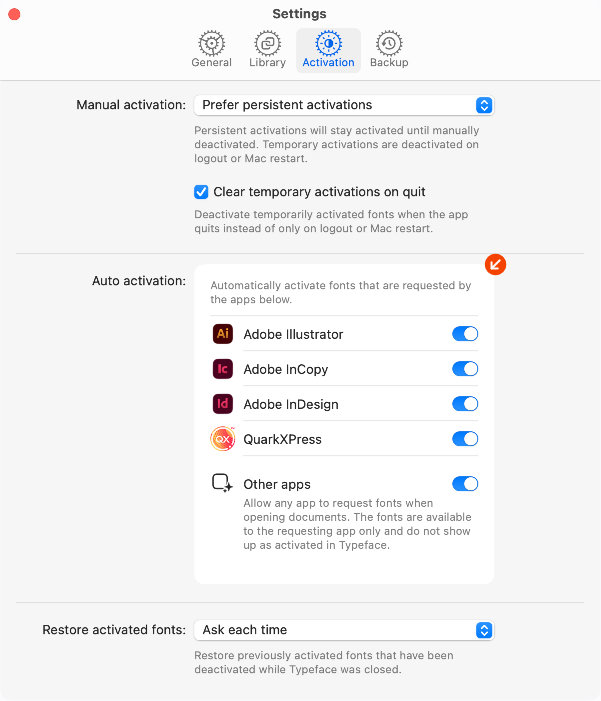
Typeface supports auto activation for most native macOS apps. The activation settings allow you to enable auto activation separately for the following applications:
- Adobe Illustrator
- Adobe InCopy
- Adobe InDesign
- QuarkXPress (2026+)
These applications require extra permission to communicate with Typeface app and can be enabled individually. To enable auto activation for all other apps on your Mac you can enable . This includes any app that natively requests fonts:
- Pages/Numbers/Keynote
- Affinity Studio
- Pixelmator Pro
- Sketch
- OmniGraffle
- Adobe Photoshop
- Adobe After Effects
- Acorn
- TextEdit
- and many others
⚠️ macOS 27 limitations: Auto activation for other apps is currently limited to non sandboxed applications on macOS 27 Golden Gate. That means that Pages, Numbers, Keynote, Pixelmator, TextEdit and other apps downloaded from the App Store will not send font requests. This issue has been reported to Apple.
App Store version of Typeface: An optional helper app is available to enable auto activation for the App Store version of Typeface on macOS 27. Learn more
Auto activation for Illustrator, InCopy, InDesign and QuarkXPress remains available.
Fonts that are auto activated for Illustrator, InCopy, InDesign and QuarkXPress are temporarily activated by Typeface. These fonts are available to all apps on your Mac. When Typeface is closed the temporarily activated fonts are automatically deactivated again.
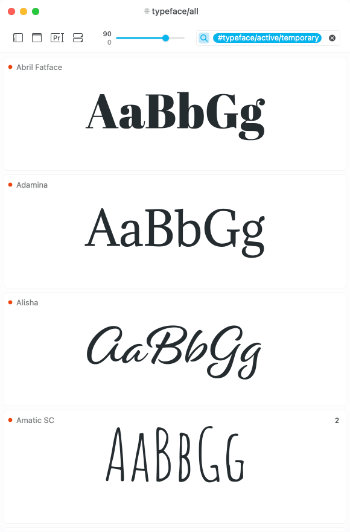
You can identify temporarily activated fonts by their orange activation indicator (instead of the default blue activation indicator). Use the #typeface/active/temporary tag in the search field to quickly find temporarily activated fonts in the app.
Auto activated fonts for other apps (e.g. Photoshop, Sketch, Affinity Designer, Pages, Keynote etc.) are provided to the requesting app only. The fonts stay available to the requesting app until that app is closed and they won’t show up as activated in Typeface.
For example, when you open a Photoshop document with missing fonts those fonts are seamlessly provided to Photoshop behind the scenes. However the auto activated fonts will not be available in other apps, unless they request the font separately.
| Illustrator / InCopy / InDesign / QuarkXPress | Auto Activation for other apps | |
|---|---|---|
| Activation indicator | Orange | Grey |
| Font available in | All apps | Requesting app only |
| Automatically deactivated | When Typeface closes | When requesting app closes |
Enabling auto activation for Adobe InDesign / InCopy / Illustrator / QuarkXPress
These applications require extra permissions to be able to communicate with Typeface. You’re automatically requested to give your permission when these apps are enabled. These permissions are not necessary for auto activation for ‘Other apps’.
- Enable the one of apps in > .
- Press the Allow button on the dialog to allow Typeface to communicate with other apps. This is only necessary once for all apps.
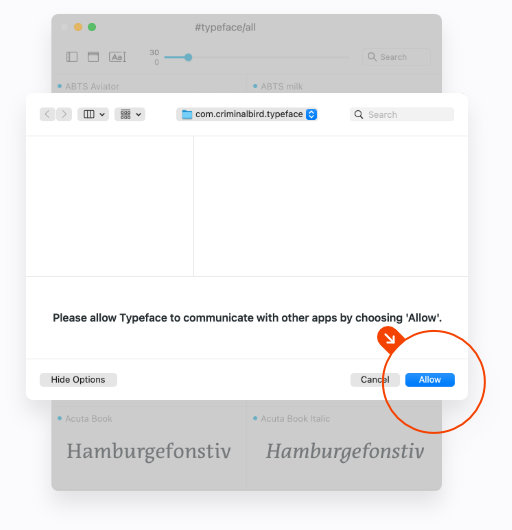
When you open the target application Typeface will ask you to allow communication with that app specifically. This is asked once for each app you enable.
- Press Ok to allow Typeface to communicate.
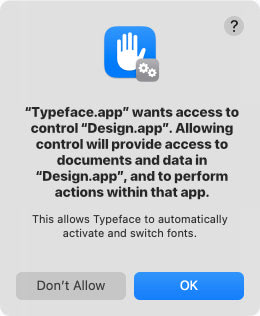
For InCopy and InDesign this permission dialog will show up again:
- Press Ok to allow InCopy & InDesign to communicate back to Typeface.
Restoring permissions for InDesign Auto Activation
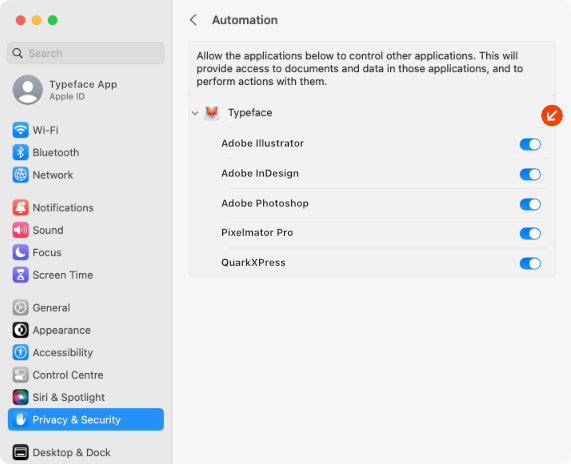
The automatic permission dialogs as described above will only show up once, so if you’ve accidentally clicked Typeface will not be able to auto activate Illustrator/InCopy/InDesign/QuarkXPress documents. Fortunately you can allow access later on in System Settings:
- Choose >
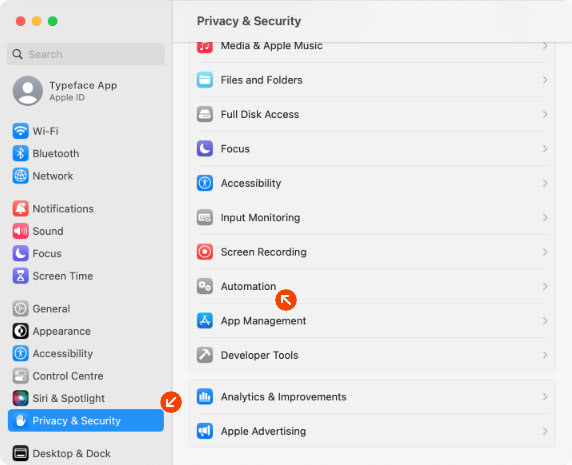
Enable the checkboxes for the apps you want to allow under Typeface
For InCopy and InDesign you’ll also need to enable the checkbox under InCopy or InDesign respectively. This is not necessary for Illustrator and QuarkXPress.